Connect your board
Pick the kind of board, then follow the prompt. Stuck?
Detected
FlasheIDE
Put MicroPython, CircuitPython or ready-made firmware on a Raspberry Pi Pico, any of 69 RP2 boards or an ESP32, or wipe it clean, straight from the browser. No Thonny, no esptool install.
Flashing or erasing wipes the board. Click to see what's on it and save everything as a .zip.
Plug the board in normally, not in BOOTSEL or bootloader mode.
Pick the kind of board, then follow the prompt. Stuck?
Detected
Firmware is the newest stable release, downloaded fresh.
Keep the board plugged in until this finishes.
Next
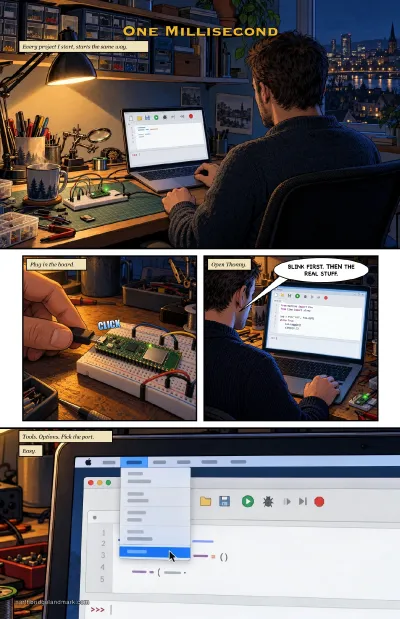 The comic · An IDE-A
One Millisecond
Why FlasheIDE exists: Thonny froze on macOS 27, so I built a flasher and an editor into my site's Workbench, then went back and found Thonny's bug.
The comic · An IDE-A
One Millisecond
Why FlasheIDE exists: Thonny froze on macOS 27, so I built a flasher and an editor into my site's Workbench, then went back and found Thonny's bug.
MicroPython logo from micropython/micropython. Blinka the CircuitPython snake © 2018 Phillip Torrone for Adafruit Industries, CC BY 4.0. All credits
What it can flash
Connect a board and step 2 offers what fits its chip. This is everything the Flash page knows right now.

micropython.org · MIT
Python on the board itself. Flash it, then write and run code in the IDE, with the board's files beside the editor.
Open the IDE →
Adafruit · MIT
Adafruit's Python. The board shows up as a CIRCUITPY drive: edit code.py in any
editor and it runs when you save.
JustCallMeKoko · MIT
Wi-Fi and Bluetooth analysis tools on a touchscreen or a Flipper Zero, for your own boards and networks. Installed from Marauder's own release, with every file's checksum checked first.
The project ↗Edge Impulse · BSD-3-Clause-Clear
Machine learning on a camera board: collect pictures into Edge Impulse Studio, train a model, then run it on the board.
The firmware ↗John O'Dell · MIT
One click for the Waveshare ESP32-P4 kit with a 3.5-inch Raspberry Pi touchscreen: a speed test, colour bars and touch calibration, matched to your chip's revision.
See the build →John O'Dell
Waveshare's 4-inch ESP32-P4 touch box as a desk pet. Its own guide installs it and sets up its Wi-Fi; after that it updates itself.
Set it up →Any board here
Save what's on a board as a .zip first. Wipe it clean (Raspberry Pi's flash nuke on a Pico, a full chip
erase on an ESP32), or flash a .uf2 or .bin you built yourself.
Hold BOOTSEL, plug in and pick the drive. The board list is Thonny's: 69 boards, matched to the drive's chip (RP2040 or RP2350), with the Pico W and Pico 2 W first.
Plug in over USB and connect. The page reads the chip and offers what fits it.
| Chip | What it can get |
|---|---|
| ESP32 | MicroPython, CircuitPython, Marauder (Cheap Yellow Display), Edge Impulse (ESP-EYE) |
| ESP32-S2 | MicroPython, CircuitPython, Marauder (Flipper Zero Wi-Fi dev board) |
| ESP32-S3 | MicroPython, CircuitPython |
| ESP32-C3, C6 | MicroPython, CircuitPython |
| ESP32-P4 | P4 screen tester; the desk pet through its own guide |
| ESP8266 | MicroPython |
Any of them can be backed up, erased or given your own .bin.